
Top AI Features for Faster Client Invoicing in 2026
The top AI features for faster client invoicing in 2026 aren't just productivity perks anymore — they're the difference between a billing operation that scales and one that bleeds overhead. Full AI-powered automation now reduces the cost of processing a single invoice from $12.88–$19.83 down to under $1, and if you're still running manual invoicing workflows, that gap is coming directly out of your margin.
Try it on your next invoice
Draft from text or voice, edit every field, and export a PDF—free on the homepage.
Try AI invoiceKey Takeaways
| Question | Answer |
|---|---|
| What is the #1 AI feature for faster invoicing in 2026? | AI Smart Fill (natural language to invoice auto-population) eliminates manual form filling and cuts invoice creation to seconds. |
| How much does AI invoicing reduce errors? | AI-native extraction hits 99.2% accuracy across fields, versus 80–92% for legacy OCR tools. Manual processes carry a 39% error rate. |
| What AI invoicing tools work for bulk client billing? | Bulk invoice generators let you upload CSV or Excel files, map columns to fields, and produce hundreds of professional PDFs in one run. |
| Is AI invoicing affordable for freelancers? | Yes. Free plans cover basic use. Professional plans start at $14.99/month, with full AI, bulk, and dashboard access. |
| Can AI invoicing tools handle multiple clients at once? | Yes. Multi-client invoicing lets you switch clients, reuse line items, and batch-export PDFs in a single session. |
| Do I still need to review AI-generated invoices? | Always. Review totals and terms before downloading. This isn't a caveat — it's a workflow step. Build it in every time. |
| What industries benefit most from AI invoicing features in 2026? | Professional services, construction, contractors, property management, healthcare, and agencies all see major time savings from AI-driven invoicing tools. |
Why Manual Invoicing Is Still Costing You in 2026
Stop wasting time and money on manual invoicing. The numbers are brutal and they haven't improved on their own.
Manual invoice processing costs between $12.88 and $19.83 per invoice, while AI-automated systems drop this to just $1.77–$3.18. Multiply that across 50, 100, or 500 invoices a month and the overhead is staggering.
It's not just the cost. Nearly 39% of all manually processed invoices contain at least one error. That means disputes, delays, and late payments are practically baked into the workflow.
Over 50% of U.S. invoices are paid after their due date. A lot of that comes down to billing errors and slow turnaround times. Both are fixable with the right AI features.
Here's what the top AI features for faster client invoicing in 2026 actually do, and how to pick the ones that match your volume.
Feature #1: AI Smart Fill (Top AI Feature for Faster Client Invoicing in 2026)
This is the core feature. No templates to configure from scratch. No fields to hunt down. Just plain English input and a professional PDF output.
Here's exactly how it works with eInvoice's Smart Fill:
- Type client details, services or products, rates, and due terms in plain English.
- Click Fill Invoice to auto-populate invoice fields instantly.
- Review the live preview for accuracy.
- Always review totals and terms before downloading.
- Download your professional PDF.
That's it. The whole cycle runs in under two minutes. Upgrade to AI-driven invoicing to eliminate manual form filling, and you immediately cut overhead, reduce errors, and get paid faster.
Smart Fill works from text or voice input. If you're on mobile between client calls, you can dictate the invoice details and the AI handles the rest. Our invoice generator is built around this exact workflow.
Did You Know?
Nearly 39% of all manually processed invoices contain at least one error — errors that lead to disputes, payment delays, and cash flow problems.
Source: Gennai Blog 2026
Feature #2: Invoice OCR Processing for Faster Client Invoicing in 2026
OCR is not new. AI-native OCR is a different story entirely.
Legacy OCR tools hit 80–92% accuracy. That means errors slip through on 1 in every 10 to 20 fields. For high-volume billing, that's a serious problem. AI-native extraction is now reaching 99.2% accuracy across fields — a gap large enough to matter operationally.
Here's the workflow with eInvoice's OCR processing:
- Upload an invoice image or PDF.
- AI extracts vendor details, dates, line items, and totals into an editable draft.
- Review the extracted fields for accuracy.
- Edit anything that needs adjustment before finalizing.
- Export your clean billing draft as a professional PDF.
The verify step stays central. AI handles the extraction; you confirm the output. That combination is where 99.9% accuracy becomes a realistic operational target.
This feature is included with Professional and Business plans. If you're processing paper invoices, scanned receipts, or third-party vendor bills, OCR removes the transcription step entirely.
Feature #3: Bulk Invoice Generation (Best AI Feature for High-Volume Invoicing in 2026)
If you bill dozens of clients on a recurring cycle, generating invoices one at a time is the bottleneck. Bulk generation fixes that at scale.
The workflow is straightforward:
- Upload your CSV or Excel file with client and billing data.
- Map columns to invoice fields (client name, line items, rates, due dates).
- Run the generator. Progress tracking shows you where you are in real time.
- Download ZIP with all PDFs packaged and labeled.
That's hundreds of professional PDFs from a single upload. No copy-paste. No individual form filling. No manual form filling of any kind.
The bulk invoice generator is built for agencies, service providers, and operations teams running high-volume billing cycles. It's included with Professional and Business plans — not a bolt-on.
Review a sample batch before you download the full ZIP. Spot-check totals, client names, and payment terms. At scale, one mapping error can replicate across every invoice in the run.
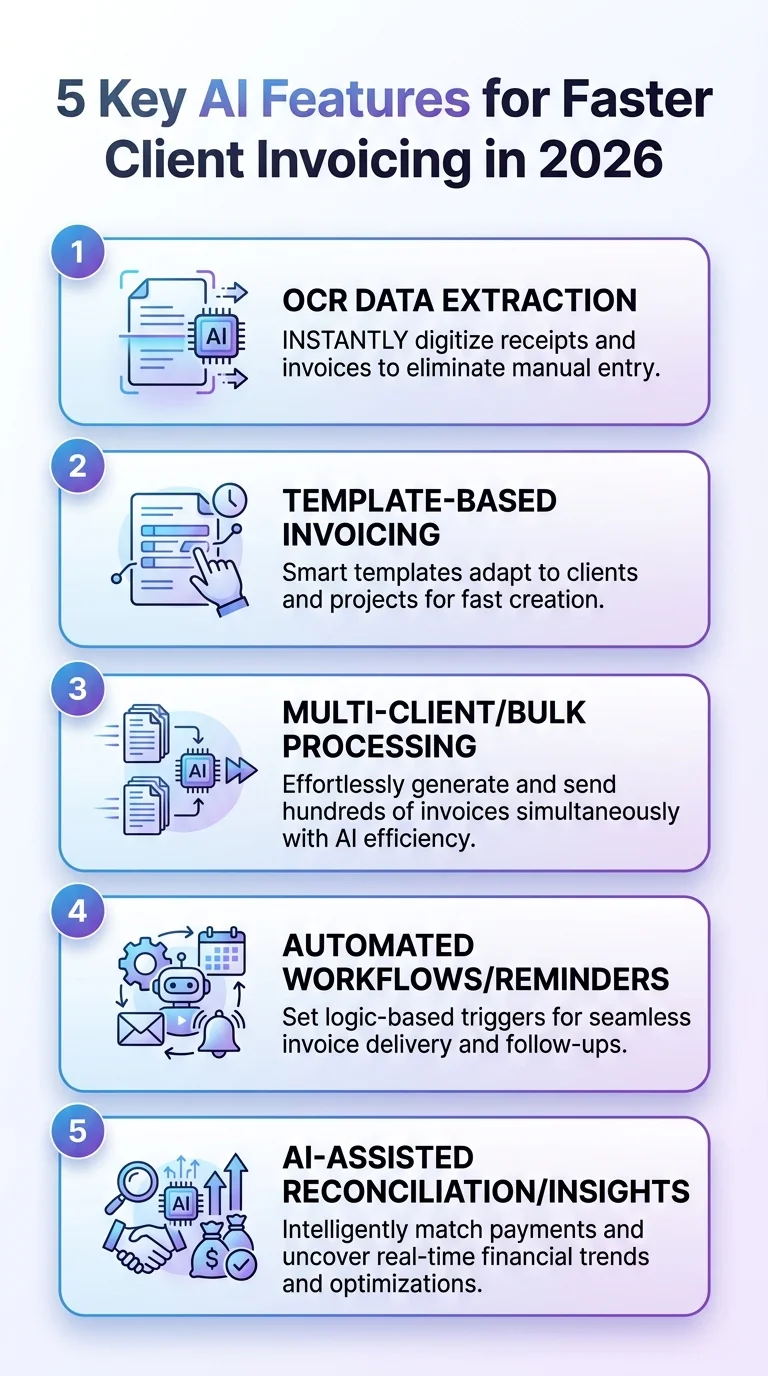
This infographic highlights the five AI features that speed up client invoicing in 2026. Learn how AI can streamline billing workflows, reduce errors, and accelerate payments.
Feature #4: Multi-Client Invoicing with Batch PDF Export
Bulk generation handles identical invoice structures at scale. Multi-client invoicing handles variety at speed.
This is the feature for service providers who bill different clients for different scopes in one sitting. Think: a consulting firm wrapping up a week with 15 clients, each with a different set of deliverables and rates.
With multi-client invoicing, you:
- Switch between clients in a single session.
- Reuse line items where services overlap.
- Generate a professional PDF for each client.
- Download all invoices in one batch.
It also supports CSV or Excel data mapping. If your client data already lives in a spreadsheet, you don't need to re-enter anything. Map it once, generate the batch, review each invoice before sending.
This feature is included with Pro and Business plans. It's the right tool for agencies, bookkeepers, and anyone managing a large client roster.
Feature #5: AI-Driven Templates for Every Industry
Templates aren't glamorous. But the wrong template creates friction — missing fields, incorrect terminology, formatting that doesn't fit your industry.
AI-driven invoicing in 2026 pairs smart templates with auto-population. You pick the template. The AI fills it from your input. The result is a professional invoice that reflects your business, not a default form.
With eInvoice, you upload your logo, customize colors, and choose from 15+ templates. Every invoice you generate reflects your business, not a default form.
Industry-specific templates available include:
- Professional services (consulting, legal, medical, therapists)
- Contractor invoicing (labor, materials, expenses)
- Construction
- Property management
- Photography
- Automotive
- Home services
Professional services templates include HIPAA-compliant options for medical practices and therapists. That's not a minor detail if you're billing in a regulated space.
Pick the template that matches your industry. The AI handles the rest of the formatting work. You just review and export.
Feature #6: Mobile-Optimized AI Invoicing with Live Preview
Your billing cycle doesn't wait until you're back at a desk. The best AI invoicing tools in 2026 are fully operational on mobile.
Live preview is the critical piece. You see the invoice exactly as the client will — before you download or send it. Catch layout issues, wrong line items, or formatting problems in real time. Not after the PDF is already in someone's inbox.
The mobile workflow mirrors the desktop:
- Input client details via text or voice.
- AI auto-populates the invoice fields.
- Review the live preview on your phone screen.
- Adjust anything that needs correcting.
- Download the professional PDF or send directly.
For freelancers and field service providers, this is where AI invoicing actually saves hours per week. You invoice the moment the job is done. No backlog. No end-of-week catch-up.
Did You Know?
AI-native extraction achieves 99.2% accuracy across invoice fields — compared to just 80–92% for legacy OCR tools. That gap scales into thousands of errors avoided per year at volume.
Source: Invoscope 2026
Which AI Invoicing Plan Fits Your Workflow in 2026?
Free is for trying the product. The AI features you actually need for daily client invoicing live in the paid tiers.
| Plan | Price | Best For | Key AI Features |
|---|---|---|---|
| Free | $0 | Trying the product; occasional invoicing | Basic AI/OCR, up to 10 saved invoices |
| Professional | $14.99/mo | Freelancers, small agencies, regular billing | Full AI Smart Fill, OCR, bulk, dashboard, WhatsApp |
| Business | $29.99/mo | High-volume operations, teams, API users | Unlimited volume, API access, all Pro features |
Start free. Upgrade when AI invoicing becomes daily work.
The Professional plan at $14.99/month covers everything most small businesses and freelancers need: Smart Fill, OCR, bulk generation, and multi-client support. The Business plan at $29.99/month is for operations running hundreds of invoices per month and needing API integration.
See the full breakdown on the features page before committing to a plan.
The Verification Step: Why You Always Review Before Downloading
AI-driven invoicing doesn't mean hands-off invoicing. It means the heavy lifting is automated — the judgment stays with you.
Always review totals and terms before downloading. This isn't a caveat, it's a workflow step. Build it in every time.
Specifically, before you export any AI-generated invoice:
- Check the totals. Confirm line items, quantities, and the final amount match what was agreed.
- Verify the client details. Name, address, email — wrong client details mean delayed payments.
- Confirm payment terms. Due date, late fee clauses, accepted payment methods.
- Review the tax treatment. Tax rates and exemptions need to be correct for every jurisdiction.
The AI handles extraction, population, and formatting at 99.9% accuracy. Your review catches the remaining edge cases. Together, that's a reliable billing operation — not a liability.
Conclusion: Use the Top AI Features for Faster Client Invoicing in 2026 and Stop Leaving Money on the Table
The top AI features for faster client invoicing in 2026 are not experimental. They're production-ready, cost-effective, and operationally proven.
Smart Fill eliminates manual form filling. OCR converts paper to clean digital drafts. Bulk generation handles hundreds of invoices from a single CSV. Multi-client invoicing batches your weekly billing into one session. Industry templates ensure every invoice looks professional and matches your business category.
Each feature removes a step that was costing you time, money, or accuracy. Combined, they cut invoice processing costs by 80–90% and reduce error rates dramatically.
The verification step stays yours. That's not a limitation — it's what keeps your billing accurate at any scale.
Try the free plan. See what Smart Fill does to your workflow. Upgrade for operations when invoicing becomes daily work. The math on AI-driven invoicing makes the decision straightforward.
Frequently Asked Questions
What are the top AI features for faster client invoicing in 2026?
The top AI features for faster client invoicing in 2026 include AI Smart Fill (plain English to auto-populated invoice), invoice OCR processing, bulk CSV-to-PDF generation, multi-client batch export, and mobile live preview. Together, these features eliminate manual form filling and reduce invoice creation to under two minutes per client.
How does AI Smart Fill work for invoice generation?
You type client details, services, rates, and payment terms in plain English. The AI auto-populates all invoice fields instantly, generating a live preview of the professional PDF. You review totals and terms, then download the final invoice. No template configuration required.
Is AI invoicing accurate enough to trust for client billing?
AI-native extraction reaches 99.2% field accuracy in 2026, compared to 80–92% for legacy OCR tools. That said, you should always review totals and terms before downloading — verification is a workflow step, not an afterthought.
Can AI invoicing tools handle bulk billing for many clients at once?
Yes. Bulk invoice generators let you upload a CSV or Excel file, map columns to invoice fields, and generate hundreds of professional PDFs in one run, then download them all as a ZIP. Multi-client invoicing handles varied scopes across different clients in a single session.
What does AI invoicing cost in 2026 and is it worth it?
Manual invoicing costs $12.88–$19.83 per invoice. AI-automated systems bring that down to $1.77–$3.18. At $14.99/month for a Professional plan, the tool pays for itself after handling a handful of invoices per month. The ROI scales directly with volume.
Do I need technical skills to use AI invoicing features?
No technical skills required. You input billing information in plain English, the AI handles field population and formatting, and you download a professional PDF. The interface is designed around a "type it, preview it, download it" workflow that anyone can use immediately.
Which industries benefit most from AI invoicing features in 2026?
Professional services (consulting, legal, medical), construction, home services, property management, photography, and automotive businesses all see significant time savings from AI-driven invoicing. Industry-specific templates — including HIPAA-compliant options for healthcare — make the output immediately usable without customization from scratch.
Ready to create your next invoice?
Use AI drafting on the homepage or sign up for a free account with cloud save and monthly plan limits.
Related articles
We'are Listed on
How to Invoice as a Freelance Writer: What to Include and How to Bill for Writing Projects
Discover essential tips on invoicing as a freelance writer. Learn what to include and how to effectively bill for your writing projects.
How to Send an Invoice Email (2026 Best Practices for Getting Paid Faster)
Learn how to send effective invoice emails in 2026. Improve deliverability, automate reminders, and enhance your billing process for quicker payments.
Can AI check an invoice before sending? Can it detect missing fields, duplicates, incorrect totals, unusual amounts?
Discover how AI can enhance your invoicing process by detecting errors, duplicates, and unusual amounts before sending. Streamline your billing cycle today.