
Voice-Activated 'Hands-Free' Billing: Best Tools, Methods, and Workflows for 2026
Voice-activated 'hands-free' billing is no longer a novelty. It's a working method that 30% of U.S. Millennials already use to pay recurring bills, and in 2026, the tools that support it have matured enough to handle the full invoicing cycle, from dictation to PDF, without touching a single form field.
Key Takeaways
| Question | Answer |
|---|---|
| What is voice-activated 'hands-free' billing? | It's the process of dictating invoice details in plain English, letting AI extract structured data, and producing a professional PDF without manual data entry. |
| Who benefits most from hands-free billing? | Freelancers, tradespeople, medical practices, and anyone who bills while moving, driving, or multitasking. |
| Can I generate a compliant invoice for free using voice input? | Yes. Our free plan includes AI assists with no credit card required, so you can test the full voice-to-PDF workflow at zero cost. |
| What's the fastest hands-free billing workflow available in 2026? | Our Smart Fill workflow lets you type or speak once and produces a downloadable invoice in under two minutes. |
| Does voice-activated billing work for bulk invoicing? | Yes. Combine voice drafting for one-off clients with bulk CSV processing for high-volume recurring billing. |
| Is hands-free billing accurate enough for professional use? | AI-driven extraction maps line items, tax, and due terms correctly. You review the live preview before downloading, so accuracy stays in your hands. |
| Is voice-activated billing available for HIPAA-regulated industries? | Yes. HIPAA-compliant templates are available for medical practices and therapists who need voice-to-invoice without compliance risk. |
Try it on your next invoice
Draft from text or voice, edit every field, and export a PDF—free on the homepage.
Try AI invoiceWhat Voice-Activated 'Hands-Free' Billing Actually Means
It doesn't mean shouting numbers at a speaker and hoping for the best. It means choosing the right method and letting automation handle the heavy lifting.
Here's the practical definition: you speak or type a description in plain English, covering who you're billing, what work you did, the rate, tax, and due date. The AI parses that description, extracts every relevant detail, and auto-populates the invoice fields in real time. No spreadsheets. No copy-paste. No manual data entry.
The result is a professional invoice that reflects your business, not a default form.
Voice-activated 'hands-free' billing works best when your hands genuinely aren't free. You're on a job site. You're between client calls. You're finishing a project at 11pm and the last thing you want to do is open a form and fill in 12 fields one by one.
That's the problem this solves. Here's how to use it correctly.
Best for Freelancers: Voice-Activated 'Hands-Free' Billing in Under Two Minutes
Freelancers lose more billing time than any other group. Not because the work is complicated, but because the friction is real. Opening a template, remembering to update the invoice number, calculating totals, formatting the PDF. It adds up.
Voice-activated 'hands-free' billing cuts that entire loop down to one step.
Our Smart Fill workflow is the fastest way to go from zero to a sent invoice. Here's what it looks like in practice:
- Open the invoice generator.
- Type or speak once, describe who you bill, the work, tax, and due date.
- Watch the AI extract and populate every field in real time.
- Review the live preview for accuracy.
- Download the PDF or send it directly.
That's it. The whole cycle runs in under two minutes.
Never reuse numbers; duplicates cause accounting chaos. Smart Fill auto-generates a unique invoice number each time, so that particular trap never catches you.
Every invoice you generate reflects your business, not a default form. You can switch between 15+ templates without rebuilding your layout from scratch.
Did You Know?
44% of consumers are specifically open to using voice technology to pay for recurring utilities.
Source: Paysafe/ETA 2024
Best for Recurring Clients: Hands-Free Billing Without Re-Entering the Same Data
Recurring billing is where manual data entry wastes the most time. Same client. Same services. Same rates. Different invoice date, different number, same 10 minutes of copy-paste work every single month.
Voice-activated 'hands-free' billing handles this differently. You describe the invoice the way you'd explain it to a colleague: "Invoice for Acme Corp, 20 hours of web development at $85 per hour, 10% GST, net 30." The AI does the rest.
With a Professional or Business plan, your client data stays in the dashboard. You don't re-enter it. You reference it. The AI pulls it forward, updates the date and number, and produces a fresh PDF.
Can I manage multiple recurring clients from one dashboard? Yes. Multi-client management is included from the Professional plan upward, at $14.99/month.
Review totals and terms before downloading. That's the only manual step left.
Best for High Volume: Combining Voice-Activated 'Hands-Free' Billing with Bulk CSV Processing
Voice input works perfectly for one-off invoices and individual client interactions. But if you're billing hundreds of clients at once, the right tool is the bulk invoice generator.
Converting hundreds or thousands of CSV rows into professional, accurate invoices doesn't have to mean hours of copy-paste work. Upload your spreadsheet, map the columns to invoice fields, and let the system run. You get a ZIP of completed PDFs when it's done.
The smart approach in 2026 is to combine both methods:
- Use voice-activated drafting for new or one-time clients where speed matters most.
- Use bulk CSV processing for repeat, high-volume billing cycles where data is already structured.
- Use AI OCR scanning to extract details from uploaded PDFs or images and turn them into editable drafts.
It means choosing the right method and letting automation handle the heavy lifting.
Both methods are available under the Business plan at $29.99/month, which includes unlimited volume and API access.
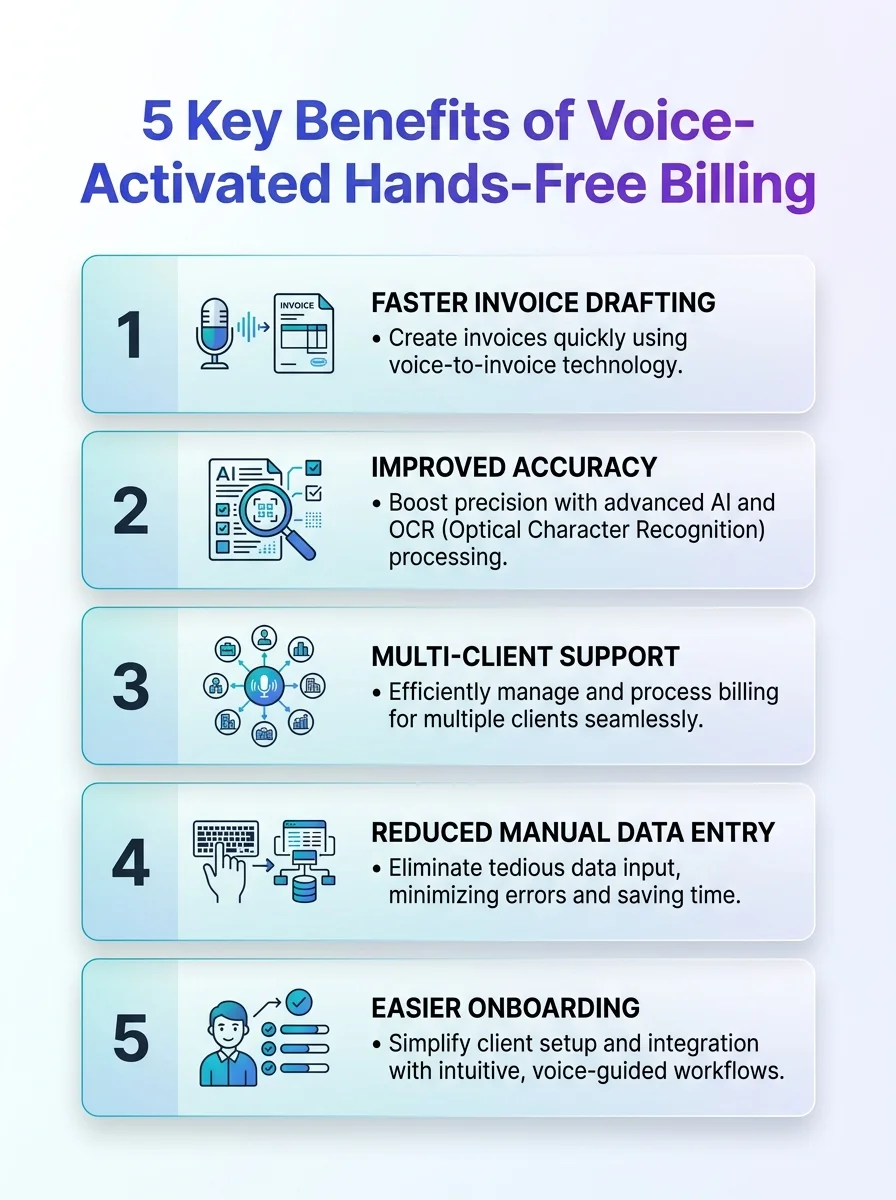
Discover how voice-activated hands-free billing can streamline transactions and boost accuracy. This infographic highlights five key benefits.
How Our Smart Fill Workflow Powers Voice-Activated 'Hands-Free' Billing
Smart Fill is the core of how voice-activated 'hands-free' billing works on our platform. It's not a chatbot. It's not a voice assistant in the traditional sense. It's an AI-driven field-population engine that reads natural language and maps it to the 12 fields that matter on every professional invoice.
Those 12 fields include: your business name and contact details, client name and address, invoice number, issue date, due date, itemized services or products, unit rates, quantities, subtotal, tax, and total due.
Type client details, services or products, rates, and due terms in plain English. Smart Fill reads that input and fills each field correctly, without you clicking through each box individually.
Here's why that matters for hands-free billing specifically: you never have to look at a form. You describe the invoice the way you'd describe a job. The structure appears behind the scenes. You review the live PDF preview, confirm the numbers, and download.
You can read more about how AI-driven invoicing eliminates manual form filling in our full breakdown of the technology behind it.
Best for Compliance: Voice-Activated 'Hands-Free' Billing for Regulated Industries
Not every business can use a generic invoicing tool. Medical practices, therapists, and allied health providers operate under HIPAA regulations. Every invoice they generate, even a voice-drafted one, needs to meet compliance standards.
Our HIPAA-compliant templates cover this. You still get the full voice-activated 'hands-free' billing workflow: speak or type the billing description, let the AI populate the fields, review the live preview. The difference is the template itself has the correct structure and data-handling standards built in.
Can I use voice-to-invoice if I work in healthcare? Yes. The Smart Fill workflow runs the same way. The template handles the compliance layer.
This matters in 2026 more than ever. As hands-free billing becomes standard in consumer payments, regulated industries need tools that keep up without cutting corners on data security.
Did You Know?
22% of all consumers are now making direct financial transactions via mobile voice assistants like Siri or Google Assistant in 2026.
Source: SeoProfy 2026
Pricing: Which Plan Supports Full Voice-Activated 'Hands-Free' Billing
Not all plans unlock every hands-free feature. Here's where each tier sits in 2026:
| Plan | Price | Voice / AI Features | Best For |
|---|---|---|---|
| Free | $0 | 3 AI assists/day, 2 OCR scans/month, unlimited guest PDFs | Testing the voice-to-PDF workflow before committing |
| Professional | $14.99/month | Full AI drafting, multi-client dashboard, bulk invoicing | Freelancers and small businesses billing regularly |
| Business | $29.99/month | Unlimited volume, API access, full bulk CSV processing | Agencies and high-volume operators with recurring bulk billing |
The free tier gives you genuine access to the core Smart Fill experience. 3 AI assists per day with no sign-up required is a real entry point, not a teaser. Create a free account and test the full voice-to-invoice flow before deciding whether to upgrade.
What to Look for in Any Voice-Activated 'Hands-Free' Billing Tool
Not every tool that claims "voice billing" delivers on it. Here's the checklist that separates working solutions from marketing copy:
- Plain English input: Can you describe an invoice the way you'd explain it out loud, or do you still have to structure the input in a specific format?
- Live preview: Does the tool show you a real-time PDF as the AI populates the fields, or do you only see the result after export?
- Auto-populated fields: Does it fill all 12 critical fields, including tax, due terms, and invoice number, or just the basics?
- Unique invoice numbering: Duplicates cause accounting chaos. Auto-generation is non-negotiable.
- Export options: PDF download, email send, or cloud storage should all be available.
- Template flexibility: 15+ templates ensure every invoice reflects your brand, not a default form.
- Compliance options: HIPAA-compliant templates for regulated industries.
You can walk through how to create professional invoices step by step if you want to compare the manual workflow against what Smart Fill replaces.
Common Mistakes with Hands-Free Billing (And How to Avoid Them)
Voice-activated 'hands-free' billing is fast. But fast doesn't mean error-proof if you skip the review step.
Here are the mistakes that cost people time in 2026:
- Skipping the live preview: Review totals and terms before downloading. The AI reads your description accurately, but if you described the rate wrong, that's on the input, not the output.
- Reusing invoice numbers manually: Let Smart Fill auto-generate. Never reuse numbers; duplicates cause accounting chaos.
- Using vague descriptions: "Invoice for some design work" won't auto-populate line items accurately. Be specific: service name, hours or units, rate, and tax.
- Ignoring tax configuration: GST, VAT, and local equivalents need to be set correctly for each client region. The tool supports it, but you have to specify it in your description or settings.
- Not backing up to cloud: Download or save to your dashboard. A PDF sitting only in your browser history isn't accessible when a client disputes a charge three months later.
All In All
Voice-activated 'hands-free' billing in 2026 is a practical, working part of the invoicing process, not a feature roadmap item. The tools exist. The AI-driven field extraction works. The live preview keeps you in control. And the whole cycle, from spoken description to downloadable PDF, runs in under two minutes.
If you bill one client a month or five hundred, the principle is the same: type or speak once, describe who you bill, the work, tax, and due date, and let automation do the rest. Smart Fill handles the structure. You handle the review. Every invoice you generate reflects your business, not a default form.
Start with our free plan and run the hands-free billing workflow today. No credit card. No commitment. Just faster invoicing.
Frequently Asked Questions
How does voice-activated 'hands-free' billing actually work in 2026?
You speak or type a description in plain English covering the client, services, rate, tax, and due date. An AI-driven engine extracts that information and auto-populates every invoice field in real time. You review the live PDF preview and download or send when ready.
Is voice-activated 'hands-free' billing accurate enough for professional invoices?
Yes, provided your input description is specific. The AI maps line items, rates, quantities, tax, and due terms correctly. The live preview step is your accuracy check before any PDF is finalized.
Can I use voice-to-invoice for free without signing up?
Yes. Our free plan includes 3 AI assists per day with no sign-up required, giving you full access to the voice-activated 'hands-free' billing workflow at zero cost. No credit card is needed to test it.
What's the difference between voice-activated billing and bulk CSV invoicing?
Voice-activated 'hands-free' billing works best for individual invoices where speed and minimal input matter. Bulk CSV processing handles high-volume billing where data is already structured in a spreadsheet. The two methods complement each other rather than compete.
Is hands-free billing safe for HIPAA-regulated industries like healthcare?
Yes. HIPAA-compliant templates are available specifically for medical practices and therapists. The voice-to-invoice Smart Fill workflow runs the same way, while the template handles the compliance and data-handling requirements.
Does voice-activated 'hands-free' billing work for recurring clients?
Yes. With a Professional or Business plan, client data stays saved in your dashboard. You describe the current invoice, the AI pulls the client details forward, updates the date and invoice number, and produces a fresh PDF without re-entering the same information each time.
Is voice-to-invoice worth it for a solo freelancer in 2026?
Yes, especially if you bill while on the move or between client work. The time saving per invoice is small individually, but across dozens of invoices per month, cutting manual data entry down to a single spoken or typed description adds up to hours recovered. The free plan makes the cost of trying it zero.
Ready to create your next invoice?
Use AI drafting on the homepage or sign up for a free account with cloud save and monthly plan limits.
Related articles
We'are Listed on
How to Invoice as a Freelance Writer: What to Include and How to Bill for Writing Projects
Discover essential tips on invoicing as a freelance writer. Learn what to include and how to effectively bill for your writing projects.
How to Send an Invoice Email (2026 Best Practices for Getting Paid Faster)
Learn how to send effective invoice emails in 2026. Improve deliverability, automate reminders, and enhance your billing process for quicker payments.
Can AI check an invoice before sending? Can it detect missing fields, duplicates, incorrect totals, unusual amounts?
Discover how AI can enhance your invoicing process by detecting errors, duplicates, and unusual amounts before sending. Streamline your billing cycle today.