
Professional Billing Solutions for Local Small Business Services: The Best Options in 2026
If you run a local service business, professional billing solutions are not a nice-to-have in 2026. They are the difference between getting paid in 48 hours and chasing invoices for three weeks.
Key Takeaways
| Question | Answer |
|---|---|
| What are the best professional billing solutions for local small business services? | eInvoice Generator offers trade-specific templates, AI-assisted drafting, OCR scanning, and bulk invoice generation built for local service providers. |
| How much does AI-driven billing cost compared to manual invoicing? | Manual processing runs $12-$19 per invoice. AI-assisted billing drops that to $1-$3. That gap is not a rounding error. |
| Do I need to register to try a professional billing solution? | No. The free plan on eInvoice Generator is a real starting point, not a limited demo. No registration required to generate your first PDF. |
| Which local trades have dedicated invoice templates? | Contractors, plumbers, electricians, HVAC techs, mechanics, handymen, freelancers, and consultants all have purpose-built templates available. |
| What is the 12 Fields standard for invoicing? | The 12 fields that matter cover every required element for a complete, client-approved invoice. Get all 12 right every time, and you get paid faster. |
| Can I invoice multiple clients at once? | Yes. The multi-client invoicing feature lets you manage all clients under one business profile and export batch PDFs as a ZIP file. |
| What plans are available for professional billing solutions? | Free ($0), Professional ($14.99/mo), and Business ($29.99/mo). Each tier scales with your volume, from solo operators to high-volume service teams. |
Try it on your next invoice
Draft from text or voice, edit every field, and export a PDF—free on the homepage.
Try AI invoiceWhy Local Service Businesses Need Professional Billing Solutions Right Now
Stop wasting time and money on manual invoicing. The numbers are brutal and they haven't improved on their own.
In 2026, local service businesses, plumbers, HVAC techs, handymen, contractors, mechanics, freelancers, and consultants, are still losing hours every week to manual data entry. Those hours convert directly into overhead. Every day between "invoice sent" and "payment received" is a day your cash flow is compressed.
The average manually processed invoice costs between $12 and $19 to produce when you factor in labor, errors, and follow-up time. An AI-assisted invoice costs $1 to $3. Multiply that across 40 or 80 invoices a month and you are looking at a four-figure annual drain on a solo operation. That gap is not a rounding error. That is your billing operation either scaling efficiently or bleeding overhead one manual entry at a time.
Professional billing solutions for local small business services close that gap. They standardize your documents, eliminate re-entry errors, and put professional PDFs in front of clients fast enough to actually accelerate payment cycles.
The Real Cost of Manual Billing for Small Local Service Providers
Most local service owners undercount the true cost of bad billing. They think about the invoice itself, not the downstream consequences.
A vague description slows down approvals because clients have to ask questions before they sign off. A specific description gets approved without a follow-up email. That one distinction, between "labor" and "4 hours HVAC duct cleaning, per scope agreed 06/10/2026," can be the difference between same-week payment and a 30-day wait.
Miss even one required field, and you are chasing the client for a corrected document. Then you wait another billing cycle. Then you follow up again. That is not a billing problem. That is a cash flow crisis being created one sloppy invoice at a time.
Did You Know? Invoices with complete line items, clear payment terms, and a specific due date get paid an average of 8 days faster than vague, incomplete documents. Professional billing solutions for local small business services build those requirements directly into the workflow, so nothing gets missed.
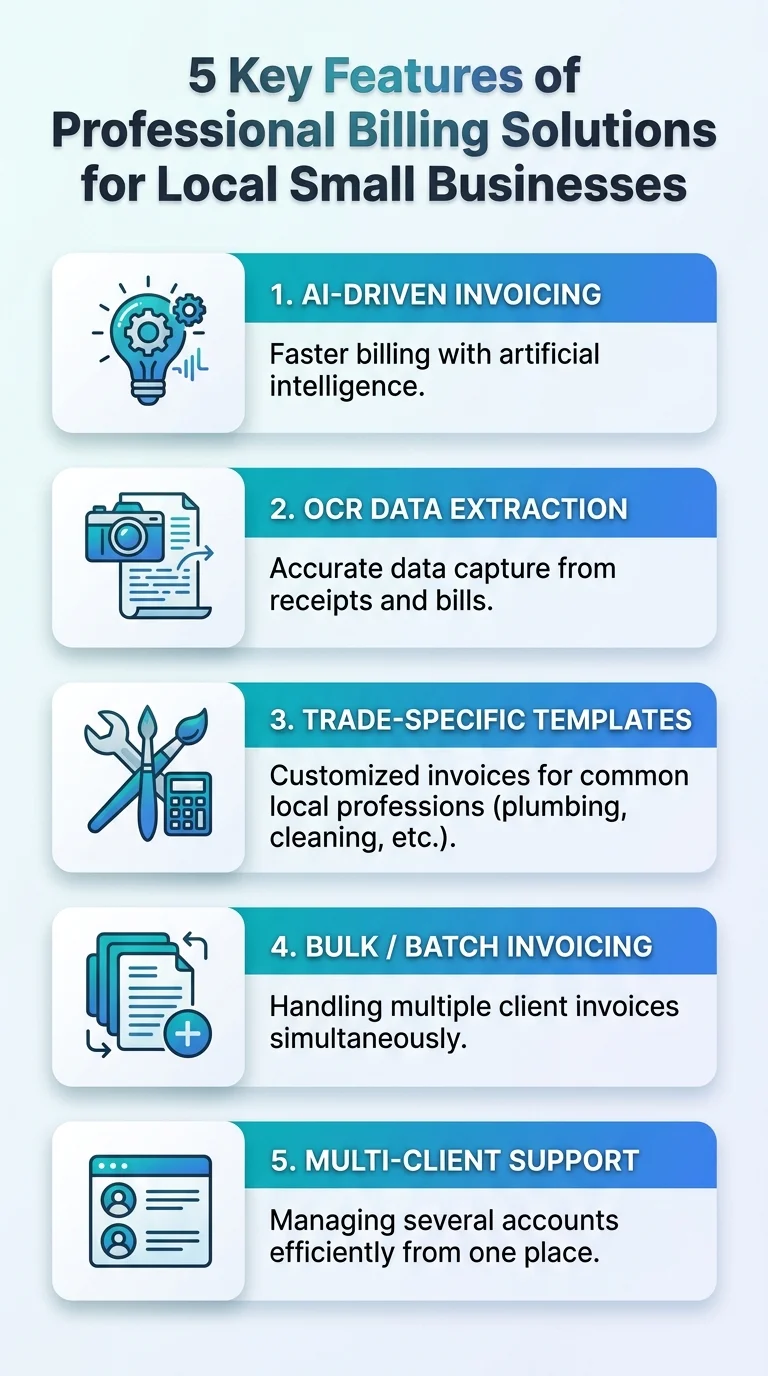 This infographic highlights five essential features of professional billing solutions for local small businesses. It shows how automation, invoicing accuracy, and streamlined payments can improve cash flow and efficiency.
Best Professional Billing Solutions for Local Small Business Services: Our Top Pick
There is no shortage of invoicing tools in 2026. But most of them are built for generic business workflows, not for a plumber on a job site or a contractor juggling five active clients.
The best professional billing solution for local small business services needs to do three things well: generate accurate, professional documents fast, handle trade-specific line items without workarounds, and scale from one invoice a week to hundreds a month without adding complexity.
eInvoice Generator is our top recommendation for local service businesses in 2026. Here is why it outperforms generalist tools for this specific use case.
- No registration required to generate your first professional PDF, making it the fastest entry point for any local service owner who needs a solution today
- AI-assisted drafting via text or voice input, built specifically for mobile-first contractors and tradespeople who are not sitting at a desk
- OCR scanning that extracts vendor details, dates, and line items from photos or uploaded PDFs directly into an editable draft
- Trade-specific templates for contractors, plumbers, electricians, HVAC techs, mechanics, handymen, freelancers, and consultants
- Bulk invoice generation via CSV upload for businesses managing high client volumes
- Three clear pricing tiers that grow with your business without forcing you to pay for features you do not use yet
Industry-Specific Templates: Professional Billing Solutions Built for Your Trade
Generic invoice templates create friction. A contractor billing for materials, labor, and project milestones cannot fit that into a "services rendered" line item without losing professional credibility.
eInvoice Generator solves this with purpose-built templates for every major local service trade. Each template pre-structures the fields your specific clients expect to see, which means faster approvals and fewer questions.
Best for Contractors and Construction
The contractor invoice template handles labor, materials, and project milestones in a clean, professional layout. It supports detailed project descriptions, tax line items, and payment terms that protect you on larger jobs.
For larger build projects, the construction invoice template adds even more structure for multi-phase billing and progress payments.
Best for Plumbing, Electrical, and HVAC
Tradespeople need parts-and-labor breakdowns that clients can read at a glance. The plumbing invoice template, electrical invoice template, and HVAC invoice template each structure line items exactly the way clients in those verticals expect.
Tax calculations apply per line item. Totals populate automatically. You get a professional PDF without spending 20 minutes formatting a spreadsheet after a 10-hour day on site.
Best for Mechanics and Auto Repair
The mechanic invoice template separates parts and labor clearly, applies tax at the correct line level, and produces a client-ready PDF your customers can review and approve without confusion.
Best for Handymen and General Service Providers
The handyman invoice template handles mixed-task billing across a single visit or ongoing service relationship. It is flexible enough for a wide range of job types without requiring custom setup on every invoice.
Best for Freelancers and Consultants
The freelance invoice template and consulting invoice template support both hourly and project-based billing structures. AI drafting fills in the details automatically, so you send a polished document instead of a rough estimate.
Knowing how to create an invoice correctly is one of the most practical skills any freelancer, small business owner, or growing team can have. These templates make that skill automatic.
AI-Assisted Features That Make Professional Billing Solutions for Local Services Work
AI-driven invoicing and billing automation is no longer optional for teams that want to compete on speed and accuracy, and the numbers prove it.
Here are the specific AI-assisted features that separate eInvoice Generator from basic invoicing tools for local small business services.
Smart Fill: Text and Voice to Invoice
Smart Fill converts spoken or typed job descriptions directly into structured invoice fields. A contractor can dictate "4 hours framing labor at $85/hr, 120 board feet lumber at $1.20/ft, 10% materials markup" and Smart Fill populates the line items, calculates totals, and formats the document.
This is the specific solution to what we call "manual-maturity" delays, where the job is done but the invoice sits unfinished because nobody wants to sit down and type it out. Smart Fill removes that bottleneck entirely.
OCR Scanning for Existing Documents
Invoice OCR processing extracts vendor names, dates, line items, and totals from uploaded photos or PDFs into an editable draft. If you receive supplier invoices that need to be re-formatted and issued to clients, OCR eliminates manual re-entry entirely.
AI can misread details, always review totals and terms before downloading. This isn't a caveat; it's a workflow step. Build the review into your process and OCR becomes a reliable time-saver, not a liability.
Live Preview and Professional PDF Export
Every invoice generates with a live preview before you export. You see exactly what the client sees before the document leaves your hands. No surprises. No formatting errors. No calls asking what a line item means.
Scaling Up: Bulk and Multi-Client Billing for Growing Local Businesses
Solo operators and small crews often start with one-at-a-time invoicing. Then the client list grows and the single-invoice workflow starts eating hours.
Professional billing solutions for local small business services need to scale with you, not force you to upgrade to enterprise software the moment you add your tenth client.
Multi-Client Invoicing
One business profile, many clients. The multi-client dashboard lets you create invoices per client, apply a template once across all of them, generate the full batch of PDFs, and download a single ZIP file. That is a morning's worth of admin compressed into minutes.
Bulk CSV to PDF Generation
The bulk invoice generator takes a CSV or Excel file and converts it into hundreds of formatted PDFs in one run. Map your columns, confirm the preview, and download the ZIP. This feature alone justifies the Professional or Business plan for any local service business handling more than 20 invoices a month.
Pricing for Professional Billing Solutions: What Each Plan Covers
Clear pricing matters. Here is exactly what you get at each tier, based on the current pricing page.
| Plan | Price | Best For | Key Features |
|---|---|---|---|
| Free | $0 | Solo operators testing the workflow | Unlimited guest PDFs, basic AI drafting, save up to 10 invoices |
| Professional | $14.99/mo | Growing local service businesses | Cloud storage, client dashboard, bulk generation, OCR, WhatsApp delivery |
| Business | $29.99/mo | High-volume teams and multi-crew operations | Unlimited volume, API access, priority support, all Professional features |
The free plan is a real starting point, not a limited demo. If you are a solo handyman or independent contractor sending fewer than 10 invoices a month, it covers your needs without a monthly commitment.
At $14.99, the Professional plan pays for itself the moment it saves you one hour of manual data entry. At the $12-$19 manual processing cost per invoice, saving even two invoices worth of labor time puts you ahead in month one.
How to Set Up Professional Billing Solutions for Your Local Business Today
Setup takes minutes, not days. Here is the workflow for getting your first professional invoice out the door.
- Open the generator. No registration required to start. Go to the homepage and open the tool directly.
- Select your trade template. Choose from the full template library based on your service type.
- Enter your business details. Type or dictate your business name, client details, job description, line items, rates, taxes, and payment terms. Smart Fill handles the structure.
- Review the live preview. Check every field. Confirm totals and payment terms before you export.
- Download and send your professional PDF. Deliver it by email, WhatsApp, or direct download link.
That is the full workflow. Start to professional PDF in under five minutes for a standard service invoice.
"AI-driven invoicing and billing automation is no longer optional for teams that want to compete on speed and accuracy, and the numbers prove it."
What the 12 Fields That Matter Mean for Local Service Billing
Every professional invoice needs the same 12 core fields to be complete, compliant, and client-ready. Miss even one, and you are chasing the client for a corrected document.
Those 12 fields include your business name and contact details, client name and address, a unique invoice number, issue date, due date, itemized line items with descriptions, quantities, unit rates, subtotal, tax breakdown, total amount due, and your payment instructions.
Vague descriptions slow down approvals because clients have to ask questions before they sign off. Specific descriptions get approved without a follow-up email. Every template in eInvoice Generator structures all 12 fields correctly by default, so you never accidentally send an incomplete document.
Get all 12 fields right every time, and you get paid faster. That is not a theory. It is a measurable outcome that local service businesses see when they move from ad-hoc invoicing to professional billing solutions.
The Best Professional Billing Solutions for Local Small Business Services in 2026
Professional billing solutions for local small business services are not about fancy software. They are about getting paid accurately, quickly, and consistently, without burning hours on admin that should take minutes.
In 2026, the tools exist to make that happen at every scale, from a solo plumber sending five invoices a week to a construction crew billing dozens of clients a month. The question is not whether professional billing solutions are worth it. The question is how much longer you can afford to operate without them.
eInvoice Generator delivers the right combination of AI-assisted drafting, trade-specific templates, OCR scanning, bulk generation, and scalable pricing for local service businesses at every stage. The free plan removes the barrier to entry entirely. No registration required to start.
Open the generator. Pick your template. Send a professional invoice today. Every day you wait is a day your cash flow stays compressed when it doesn't need to be.
Frequently Asked Questions
What are the best professional billing solutions for a local small business service in 2026?
For local service businesses in 2026, the best professional billing solutions combine AI-assisted invoice drafting, trade-specific templates, and fast PDF export. eInvoice Generator covers all three with a free entry point and scalable paid plans at $14.99 and $29.99 per month.
How do I create a professional invoice for my small local business without an accountant?
Use an AI-assisted invoice generator with a template built for your trade. Type or dictate your job details, review the live preview, and export a professional PDF. The entire process takes under five minutes and requires no accounting knowledge.
Is AI invoicing software worth it for a small local service business?
Yes. Manual invoice processing costs $12-$19 per invoice in real labor and error overhead. AI-assisted billing brings that cost down to $1-$3. For any local service business sending more than 10 invoices a month, the Professional plan pays for itself in week one.
What invoice fields do I need to include to get paid faster as a local service business?
You need all 12 standard invoice fields: business name, client details, invoice number, issue and due dates, itemized line items with specific descriptions, subtotal, tax, total, and payment instructions. Miss any one of them and you risk delayed payment or a correction cycle that costs you days.
Can I invoice multiple clients at once as a small local service provider?
Yes. Multi-client invoicing lets you manage all your clients under one business profile, apply your template across the full client list, and export all PDFs as a single ZIP download. It is available on the Professional and Business plans.
What is the best free billing solution for a local small business?
eInvoice Generator's free plan allows unlimited guest PDF exports and basic AI drafting with no registration required. It stores up to 10 invoices and gives you a genuine taste of the full workflow before you decide whether to upgrade.
How do OCR invoice tools help local tradespeople with billing?
OCR scanning extracts vendor names, dates, and line items from photos or uploaded PDFs directly into an editable invoice draft. For tradespeople who receive supplier invoices that need to be re-billed to clients, OCR eliminates manual re-entry and cuts processing time significantly. Always review AI-extracted totals before sending.
Ready to create your next invoice?
Use AI drafting on the homepage or sign up for a free account with cloud save and monthly plan limits.
Related articles
We'are Listed on
How to Invoice as a Freelance Writer: What to Include and How to Bill for Writing Projects
Discover essential tips on invoicing as a freelance writer. Learn what to include and how to effectively bill for your writing projects.
How to Send an Invoice Email (2026 Best Practices for Getting Paid Faster)
Learn how to send effective invoice emails in 2026. Improve deliverability, automate reminders, and enhance your billing process for quicker payments.
Can AI check an invoice before sending? Can it detect missing fields, duplicates, incorrect totals, unusual amounts?
Discover how AI can enhance your invoicing process by detecting errors, duplicates, and unusual amounts before sending. Streamline your billing cycle today.