
Best AI Invoice Generators for Faster Client Billing in 2026
Finding the best AI invoice generators for faster client billing in 2026 is no longer a nice-to-have decision — it is an operational one. Research shows that AI systems can process invoice data in as little as 3.6 seconds, compared to the 194 to 316 seconds it takes a human reviewer to handle the same task. That gap is not a rounding error. That is your billing operation either scaling efficiently or bleeding overhead one manual entry at a time.
Try it on your next invoice
Draft from text or voice, edit every field, and export a PDF—free on the homepage.
Try AI invoiceKey Takeaways
| Question | Quick Answer |
|---|---|
| What is the best AI invoice generator overall in 2026? | eInvoice leads with AI drafting from text or voice, 15+ PDF templates, OCR scanning, and a free no-registration homepage tool. |
| Can I generate an invoice without signing up? | Yes. Several tools including eInvoice and Template net offer no registration required access — start on the homepage and get a PDF in seconds. |
| How much faster is AI invoicing vs. manual? | AI handles the full drafting and formatting cycle in under two minutes. Manual data entry for the same invoice typically takes 5 to 10 minutes with error risk. |
| Do AI invoice generators support voice input? | Yes. eInvoice and Casho AI both support voice prompt invoicing — if you're on mobile between client calls, you can dictate the invoice details and the AI handles the rest. |
| What does AI invoicing actually cost? | Most tools have a free tier. Paid plans start around $3.99/month (Invoiceless) to $9.99/month (Invomaker). The manual processing cost by contrast runs $12.88 to $19.83 per invoice. |
| Which AI invoice tools handle bulk CSV invoicing? | eInvoice's Pro tier supports bulk CSV to invoice conversion, making it the right pick for high-volume billing operations. |
| Is an AI invoice generator reliable for freelancers? | Absolutely. The best tools in this list were specifically built for freelancers, solo operators, and small teams who need a clean paper trail without enterprise overhead. |
Why the AI Invoice Generators for Faster Client Billing Matter More in 2026
The top AI features for faster client invoicing in 2026 aren't just productivity perks anymore — they're the difference between a billing operation that scales and one that bleeds overhead.
Manual form filling isn't a minor inconvenience. At any real billing volume, that gap is significant overhead that comes directly out of your margin.
Think about it this way: a business processing 500 invoices per month manually is burning time on every single field. Client name. Line items. Tax rate. Due date. Payment terms. Multiply that across your team and your billing cycle becomes a cost center instead of a cash flow accelerator.
The best AI invoice generators eliminate that entirely. You describe the job in plain English — or speak it out loud — and the tool populates, formats, and outputs a professional PDF. The whole cycle runs in under two minutes.
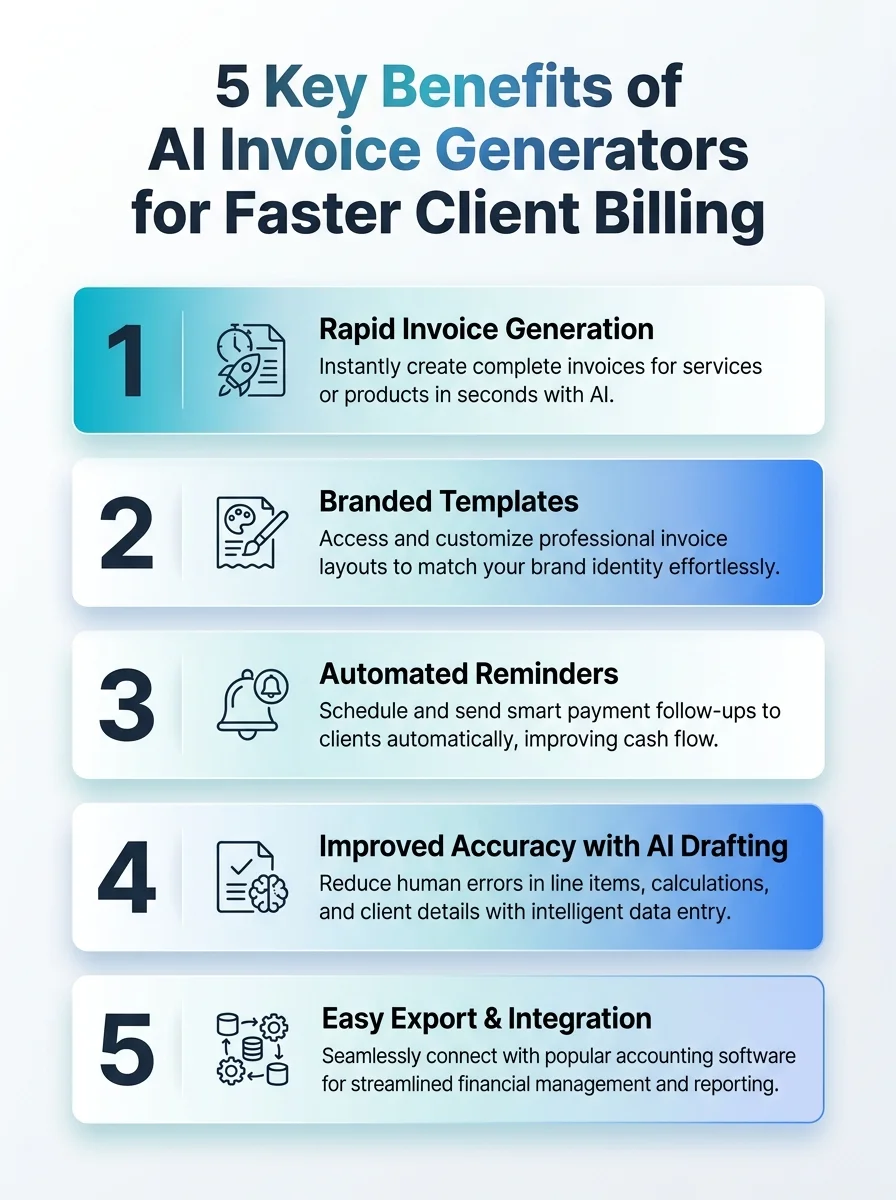 This infographic highlights five key benefits of AI invoice generators for faster client billing. It shows how automation speeds up invoicing, improves accuracy, and enhances cash flow.
The Real Cost of Manual Invoicing (and Why AI Fixes It)
Knowing how to create an invoice correctly is one of the most practical skills any freelancer, small business owner, or growing team can have. But knowing how to create one fast — and without errors — is where AI separates itself from everything else.
Manual invoice processing costs between $12.88 and $19.83 per invoice when you factor in labor, corrections, and follow-up time. AI-automated invoicing can bring that cost under $1.00 per invoice. At any real billing volume, that gap is significant overhead that comes directly out of your margin.
The 39% manual error rate in traditional invoicing compounds this further. A wrong tax line or missing due date doesn't just slow down one payment — it delays your entire cash flow cycle while you chase corrections and resend documents.
Did You Know? Best-in-class organizations achieve 99.5% touchless invoice routing — compared to just 49.2% for the industry average. That 50-point gap is entirely an automation problem. Source: Medius / Ardent Partners 2025
Best AI Invoice Generators for Faster Client Billing in 2026: Full Breakdown
Every tool below was evaluated on the same criteria: speed to first invoice, AI capability quality, no-gate access, pricing transparency, and whether it removes work from your plate or just moves the work somewhere else.
That last question is the deciding one. The decision of how to choose reliable invoicing software for beginners comes down to one core question: does this tool remove work from your plate, or does it just move the work somewhere else?
eInvoice — Best Overall AI Invoice Generator for 2026
Best for: Freelancers, small businesses, and growing teams who want voice input, bulk CSV processing, and a full billing dashboard without a steep learning curve.
eInvoice is the most complete tool in this list. It combines Smart Fill logic, voice-to-invoice drafting, OCR scanning, and 15+ professional PDF templates into a single platform — with a free homepage tool that requires no registration to use.
Type or speak once — describe who you bill, the work, tax, and due date. Get a PDF in seconds and edit every field before export. No templates to configure from scratch. No fields to hunt down. Just plain English input and a professional PDF output.
If you're on mobile between client calls, you can dictate the invoice details and the AI handles the rest. That's it.
- AI Drafting: Text or voice input; Smart Fill populates all standard fields automatically
- Templates: 15+ professional PDF layouts, fully editable before export
- OCR Scanning: Extract line items and client data from existing documents
- Dashboard: Client views, payment reminders, and reporting built in
- Bulk Processing: Pro tier handles large CSV files to invoices at volume
- Free Tier: 10 cloud invoices/month, 10 AI assists/month, 2 OCR scans/month — no credit card required
- No Registration Required: Free tool runs directly on the homepage
Pricing: Free Starter (no credit card); paid Pro tier unlocks bulk CSV, multi-client workflows, and full OCR. Sign up free here.
The verdict: For teams processing real billing volume, eInvoice is the only tool in this list that covers the full stack — from voice input to bulk CSV to OCR to reminders. Start free, build the habit, and scale the tool as your client list grows. That is the formula. Everything else is a configuration detail.
Template.net AI Invoice Generator — Best for Template-Heavy, No-Signup Workflows
Best for: Users who want the widest variety of visual invoice templates with AI assistance and zero sign-up friction.
Template.net's AI Invoice Generator delivers clean, professional invoices through an AI-assisted builder with no signup required. The generator's strength is visual variety — it gives you editable templates and direct export options without asking you to create an account first.
- Access: No registration required; generate invoices directly on the page
- Templates: Wide selection of editable invoice templates
- Export: PDF download and sharing options
- AI Assistance: Fills in standard fields based on your inputs
Pricing: Free access tier with no signup. Premium template library available for advanced designs.
The verdict: A strong option when visual presentation matters and you want no-gate access with a broader template library than most competitors offer.
Invoice. website — Best for One-Sentence Invoice Generation
Best for: Freelancers and solo operators who want the fastest possible path from job description to PDF.
Invoice. website runs on a single premise: write one sentence describing the work and the AI returns a professional invoice PDF in seconds. It strips the process down to its absolute minimum — which is exactly the right approach when you're billing between meetings and don't want to navigate menus.
- Input Method: Plain English sentence or short description
- Output: Professional PDF invoice, fully formatted
- Access: Free, no signup required
- Target User: Freelancers, agencies, and small businesses
Pricing: Free to start with no registration required.
The verdict: The most stripped-down tool in this list. If your priority is speed over configuration options, Invoice. website delivers on that promise every time.
Invomaker — Best for Send, Track, and Follow-Up
Best for: Small businesses that need to create, send, and track invoice status without managing a separate CRM or email workflow.
Invomaker adds a layer of delivery and tracking on top of standard invoice generation. You create the invoice, send it directly to your client, and track whether it has been viewed or paid — all from the same interface.
- Core Feature: Create, send, and track invoices in one workflow
- Email Reminders: Automated follow-up for unpaid invoices
- No Signup Required: Basic creation available without an account
- Pro Features: Advanced tracking, recurring invoices, and reporting
Pricing: Starter plan free; Pro at $9.99/month.
The verdict: The right pick if your billing bottleneck is follow-up rather than creation. Invomaker handles the paper trail from first send to final payment confirmation.
Casho AI — Best for Voice and Prompt-Based Invoicing
Best for: Mobile-first users who want to generate invoices entirely from voice or natural language prompts without touching a keyboard.
Casho AI focuses specifically on the voice and prompt workflow — generate invoices in-browser using spoken or typed prompts, with no manual field entry required. It targets the same core workflow that eInvoice pioneered: plain English input, structured output.
- Input: Voice or text prompt in natural language
- In-Browser: No installation required
- Templates: Browser-based template selection
- Use Case: Field workers, consultants, and mobile-first billing operations
Pricing: Free tier available.
The verdict: A solid voice-first option. If your billing workflow happens away from a desk, Casho AI's prompt-based approach keeps the friction minimal.
Invoiceless — Best for UK Freelancers and Self-Employed Professionals
Best for: UK-based freelancers and self-employed professionals who want AI-generated PDFs with GBP pricing and a low-cost monthly plan.
Invoiceless is an AI-powered invoice generator built specifically around the needs of freelancers and self-employed professionals. Its Studio plan at £3.99/month makes it one of the most accessible paid options in this category.
- AI Generation: Automated invoice creation with structured PDF output
- Free Tier: 3 PDF downloads included before upgrade
- Studio Plan: 15 PDF downloads/month at £3.99/month
- Target User: Freelancers and sole traders
Pricing: Starter (3 free PDFs); Studio at £3.99/month.
The verdict: Clean, purpose-built, and priced for the freelance market. The free tier gives you enough to evaluate before committing to a paid plan.
BillForge — Best for Streamlined Quick Invoice Workflows
Best for: Users who want a fast, lightweight invoicing workflow without enterprise complexity.
BillForge positions itself as an AI-powered tool built for quick invoicing workflows. Details on features remain lean, but its focus on reducing friction in the billing cycle puts it in the same category as the speed-first tools in this list.
- Core Use Case: Fast invoice generation with AI assistance
- Target User: Small businesses and independent contractors
The verdict: Worth exploring if you prefer a minimal interface with a direct path from input to invoice output.
Key Features That Separate the Best AI Invoice Generators for Faster Client Billing
Not every tool calling itself an "AI invoice generator" in 2026 delivers the same result. Here are the features that actually matter for your billing operation speed.
| Feature | Why It Matters | Tools That Have It |
|---|---|---|
| Smart Fill / Plain English Input | Eliminates manual field entry — describe the work, AI populates all fields | eInvoice, Invoice. website, Casho AI |
| Voice Input | Critical for mobile billing between client calls — speak, don't type | eInvoice, Casho AI |
| No Registration Required | Removes the sign-up barrier — start billing immediately | eInvoice, Template.net, Invoice.website, Invomaker |
| OCR Scanning | Pulls data from existing documents — eliminates double entry | eInvoice (Pro) |
| Bulk CSV Processing | Essential for high-volume billing — generate hundreds of invoices at once | eInvoice (Pro) |
| Live Preview | Edit every field before export — no surprises in the final PDF | eInvoice, Template.net |
| Send and Track | Closes the loop on the cash flow cycle — send, confirm receipt, follow up | Invomaker, eInvoice |
How to Choose the Right AI Invoice Generator for Your Billing Volume
The decision of how to choose reliable invoicing software for beginners comes down to one core question: does this tool remove work from your plate, or does it just move the work somewhere else?
Here is how to match your volume to the right tool in 2026.
Under 20 invoices/month: Any free no-registration tool covers this comfortably. eInvoice's free tool, Invoice. website, or Template.net all handle low-volume billing without requiring an account or paid plan.
20 to 100 invoices/month: You need a dashboard. At this volume, tracking payment status and sending reminders manually costs you real time. eInvoice's free account (10 cloud invoices, 10 AI assists/month) or Invomaker's free Starter plan both add that layer.
100 to 500+ invoices/month: You need bulk processing and OCR. Manual form filling at this scale isn't a workflow — it is a full-time job. eInvoice Pro's bulk CSV processing and OCR scanning are the operational tools that automate the heavy lifting at this volume.
Mobile-first billing: If your invoices happen in the field, in a vehicle, or between site visits, you need voice input. Dictate the invoice details and let the AI handle the rest. Both eInvoice and Casho AI support this workflow.
How AI Invoice Generators Compress Your Cash Flow Cycle
Speed from job completion to paid invoice is the real metric. The faster your billing cycle runs, the faster your cash flow cycle closes.
Here is what the workflow looks like with the best AI invoice generators for faster client billing in 2026, versus without them.
| Step | Manual Process | AI Process |
|---|---|---|
| Draft invoice | 5–10 minutes (spreadsheet or template) | Under 60 seconds (plain English input) |
| Add line items and tax | 2–5 minutes (manual calculation) | Auto-populated by Smart Fill logic |
| Review and correct errors | 39% error rate means frequent rework | Live preview before export; errors caught before send |
| Export and send | PDF export plus manual email attachment | One-click PDF export, direct email, WhatsApp, or link sharing |
| Follow up on unpaid invoices | Calendar reminders, manual emails | Automated reminders from dashboard |
| Total cycle (creation to send) | 15–20 minutes per invoice | Under 2 minutes per invoice |
The whole cycle runs in under two minutes. At 500 invoices a month, that time differential alone is the equivalent of a part-time hire's worth of labor hours.
Did You Know? Organizations using AI-driven invoice automation have cut cycle time from ~14 days to ~6 days. Best-in-class operations reach ~3 days. That compression directly accelerates your cash flow cycle. Source: Medius / Chronicles of AI
Quick Comparison: Best AI Invoice Generators for Faster Client Billing in 2026
| Tool | Best For | Starting Price | No Signup? | Voice Input? |
|---|---|---|---|---|
| eInvoice | Best overall — full stack AI billing | Free | Yes | Yes |
| Template. net | Template variety, no signup | Free | Yes | No |
| Invoice. website | One-sentence invoice speed | Free | Yes | No |
| Invomaker | Send, track, and follow-up | Free / $9.99/mo | Yes | No |
| Casho AI | Voice and prompt billing | Free | Yes | Yes |
| Invoiceless | UK freelancers, low monthly cost | Free / £3.99/mo | Partial | No |
| BillForge | Lightweight quick workflows | Free | Yes | No |
The Smart Way to Adopt AI Invoicing in 2026
The fastest way to build an efficient billing operation is to start with a free tool and run it parallel to your current process for 30 days. Measure the time difference. Count the errors. Calculate what manual processing costs you per invoice at your current volume.
Then decide whether the upgrade makes sense.
For most freelancers and small business owners, the top AI features for faster client invoicing in 2026 pay for themselves within the first billing cycle. The math is straightforward: if you're spending $12.88 to $19.83 per invoice manually, and AI brings that under $1.00, the tool cost is recovered on the first invoice of the month.
Start free, build the habit, and scale the tool as your client list grows. That is the formula. Everything else is a configuration detail.
The best AI invoice generators for faster client billing in 2026 all share one trait: they put the work in front of the AI instead of in front of you. Type once. Review once. Download once. Send. That's it.
Conclusion
The best AI invoice generators for faster client billing in 2026 are not all created equal — but the right one for your operation is the one that compresses your billing cycle, eliminates manual form filling, and puts your cash flow cycle back under your control.
For full-stack capability, the mechanics of creating a correct invoice have never been simpler: plain English input, Smart Fill logic, live preview, and a professional PDF output in under two minutes. eInvoice covers that entire workflow — free on the homepage, no registration required, with a clear upgrade path for teams processing real volume.
For specialized use cases, Invoice.website handles the fastest one-sentence workflow, Casho AI covers voice-first mobile billing, Invomaker closes the loop with send-and-track, and Template.net delivers the broadest template library with zero signup friction.
Pick the tool that removes work from your plate. Start free. Scale when the volume demands it. That is the complete formula for faster client billing in 2026.
Frequently Asked Questions
What is the best free AI invoice generator in 2026?
eInvoice is the strongest free option in 2026 — it offers no-registration access directly on the homepage, AI drafting from text or voice, and 10 cloud invoices plus 10 AI assists per month on its free account. No credit card required to start.
How do AI invoice generators make client billing faster?
The best AI invoice generators for faster client billing in 2026 replace manual field entry with plain English input — you describe the work, the AI populates all fields, and you export a PDF in under two minutes. The complete creation-to-send cycle drops from 15 to 20 minutes manually to under 2 minutes with AI.
Can I create an invoice without signing up for an account?
Yes. Several of the best AI invoice generators in 2026 offer no registration required access — eInvoice, Template.net, Invoice.website, and Invomaker all allow you to generate a professional invoice immediately without creating an account.
Is an AI invoice generator accurate enough to trust for real client billing?
Yes, and it is significantly more accurate than manual entry. Manual invoicing carries a documented 39% error rate, while AI tools with live preview and Smart Fill logic allow you to verify every field before export. The paper trail is clean, consistent, and professional.
What AI invoice generator works best for mobile billing between client calls?
Both eInvoice and Casho AI support voice input, making them the strongest options for mobile billing. If you're on mobile between client calls, you can dictate the invoice details and the AI handles the rest — no keyboard required.
How much does AI invoice generation cost compared to manual processing?
Manual invoice processing costs between $12.88 and $19.83 per invoice when you account for labor, corrections, and follow-up time. AI invoice generation brings that cost under $1.00 per invoice. The best AI invoice generators for faster client billing in 2026 all offer free tiers, meaning your first-month cost is $0 while the savings are immediate.
Which AI invoice generator is best for high-volume billing in 2026?
eInvoice's Pro tier is the clear choice for high-volume operations — it supports bulk CSV to invoice conversion, multi-client workflows, and OCR scanning to automate the heavy lifting at scale. For businesses processing hundreds of invoices per month, it is the only tool in this list that covers the full stack.
Ready to create your next invoice?
Use AI drafting on the homepage or sign up for a free account with cloud save and monthly plan limits.
Related articles
We'are Listed on
How to Invoice as a Freelance Writer: What to Include and How to Bill for Writing Projects
Discover essential tips on invoicing as a freelance writer. Learn what to include and how to effectively bill for your writing projects.
How to Send an Invoice Email (2026 Best Practices for Getting Paid Faster)
Learn how to send effective invoice emails in 2026. Improve deliverability, automate reminders, and enhance your billing process for quicker payments.
Can AI check an invoice before sending? Can it detect missing fields, duplicates, incorrect totals, unusual amounts?
Discover how AI can enhance your invoicing process by detecting errors, duplicates, and unusual amounts before sending. Streamline your billing cycle today.